Recipes and a meal plan
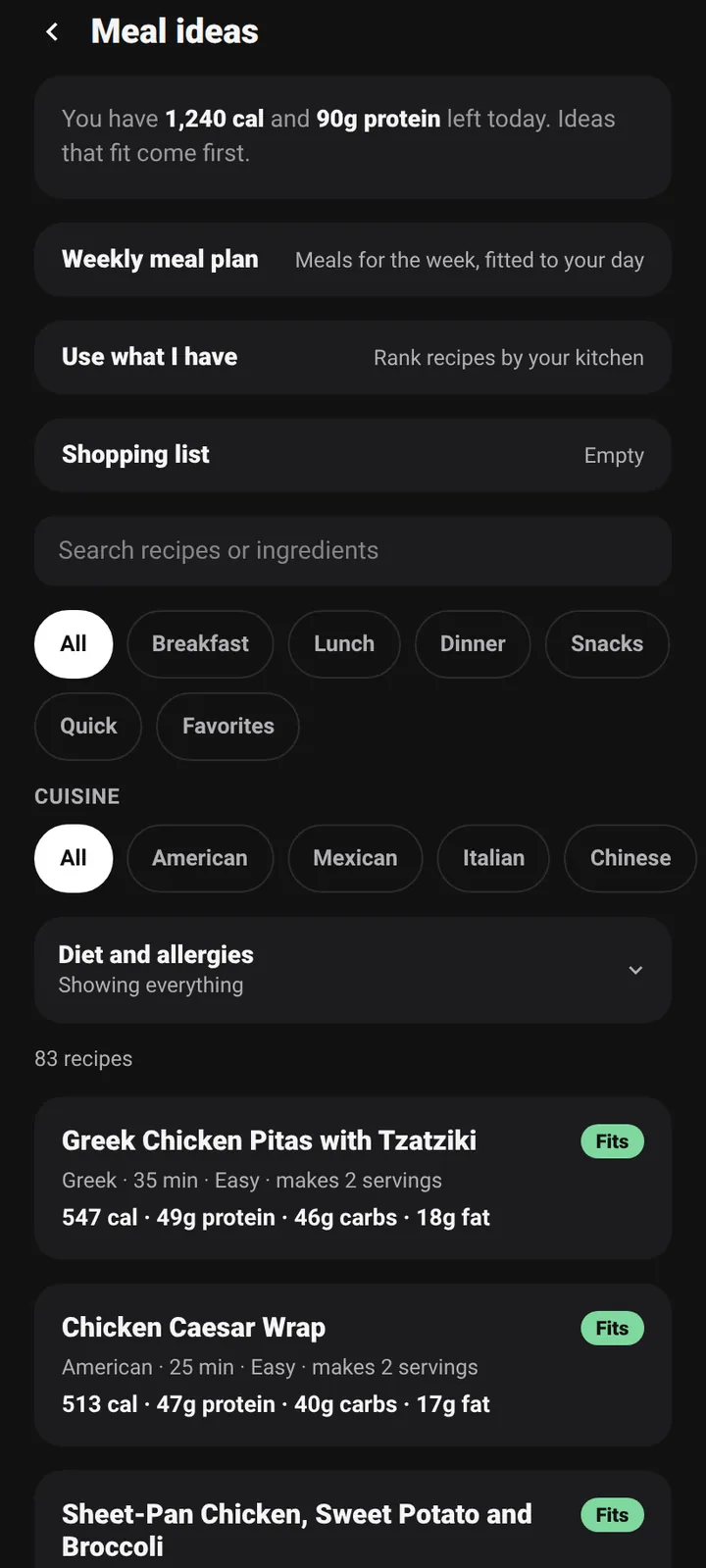
Diet and allergy filters, a plan sized to your calorie target, and a shopping list built from it. Recipes are suggestions, not allergy advice.
Android first. iPhone later.
Free core app. No ads. Made for people who like their numbers checked.
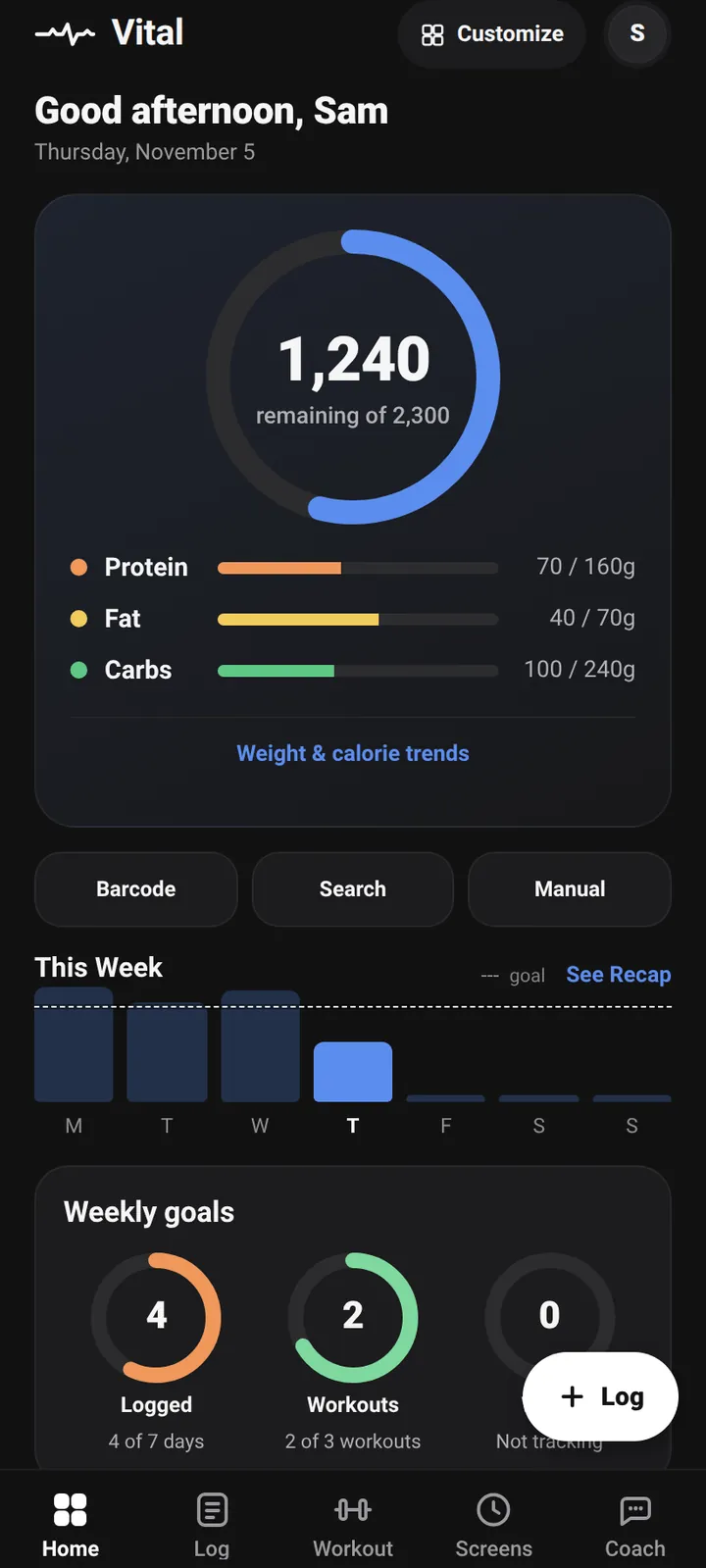
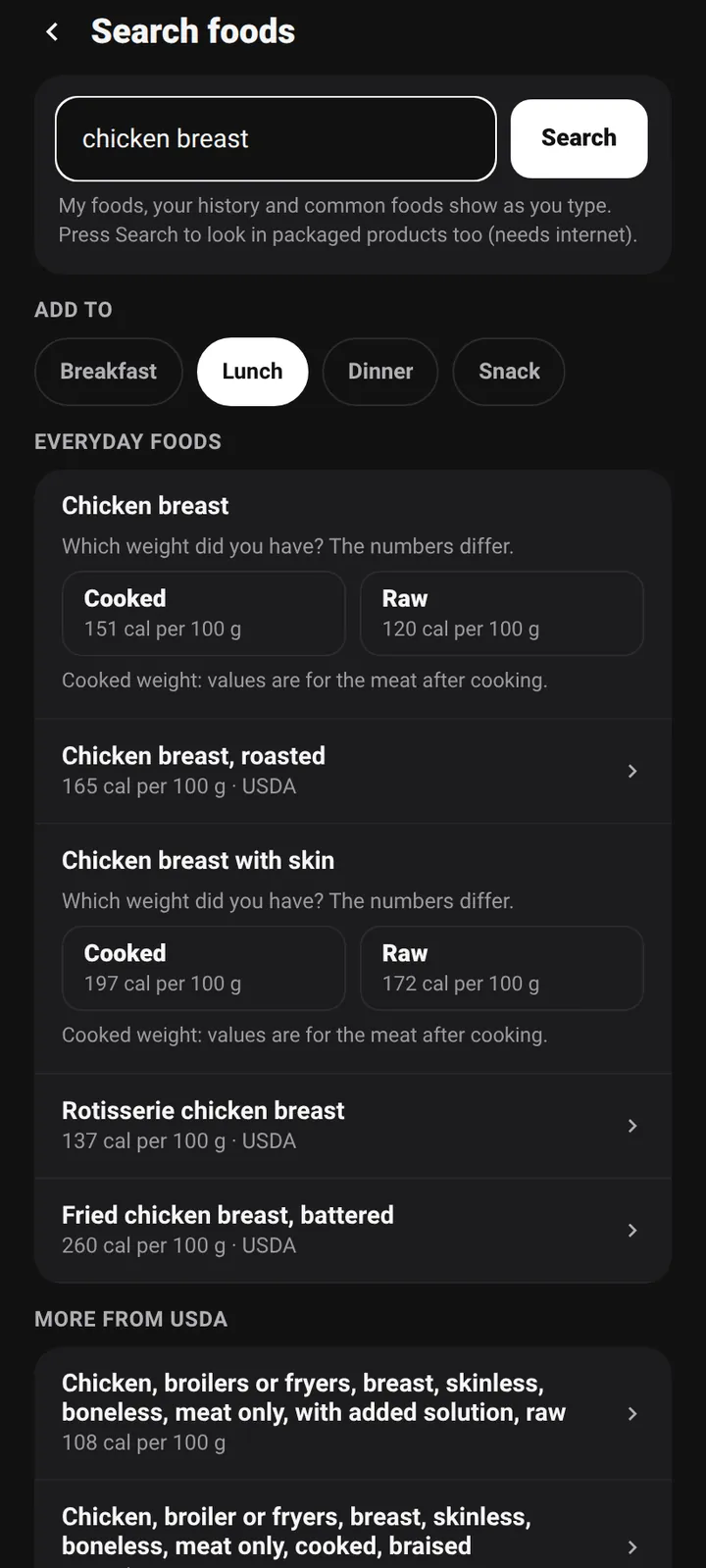
Barcode scan. USDA food list. Recipes. Meal plan.
Scan a barcode, search a food or type it in. Vital shows where each number came from and flags calories that do not match the protein, fat and carbs, so you can fix them before you log. No signal? Entries wait on your phone and sync later.
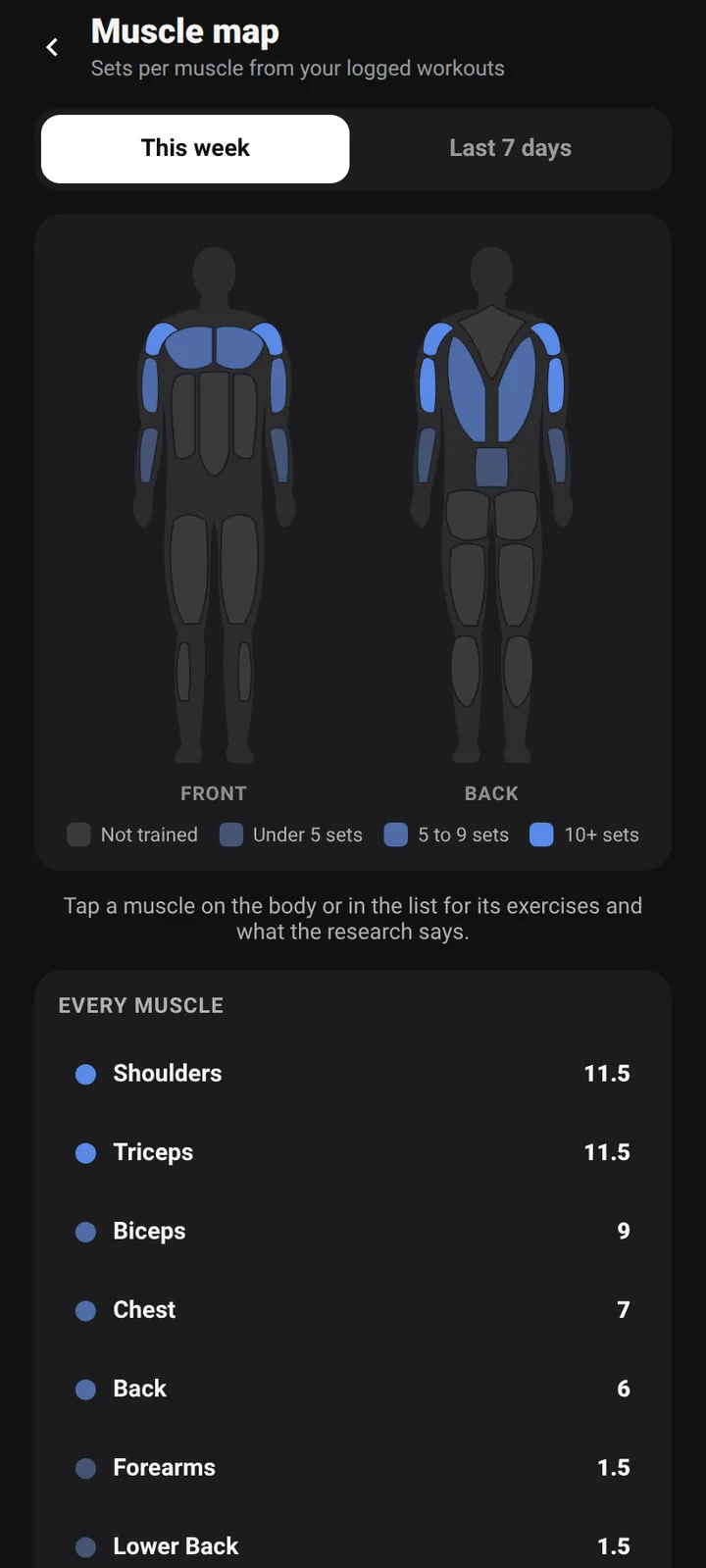
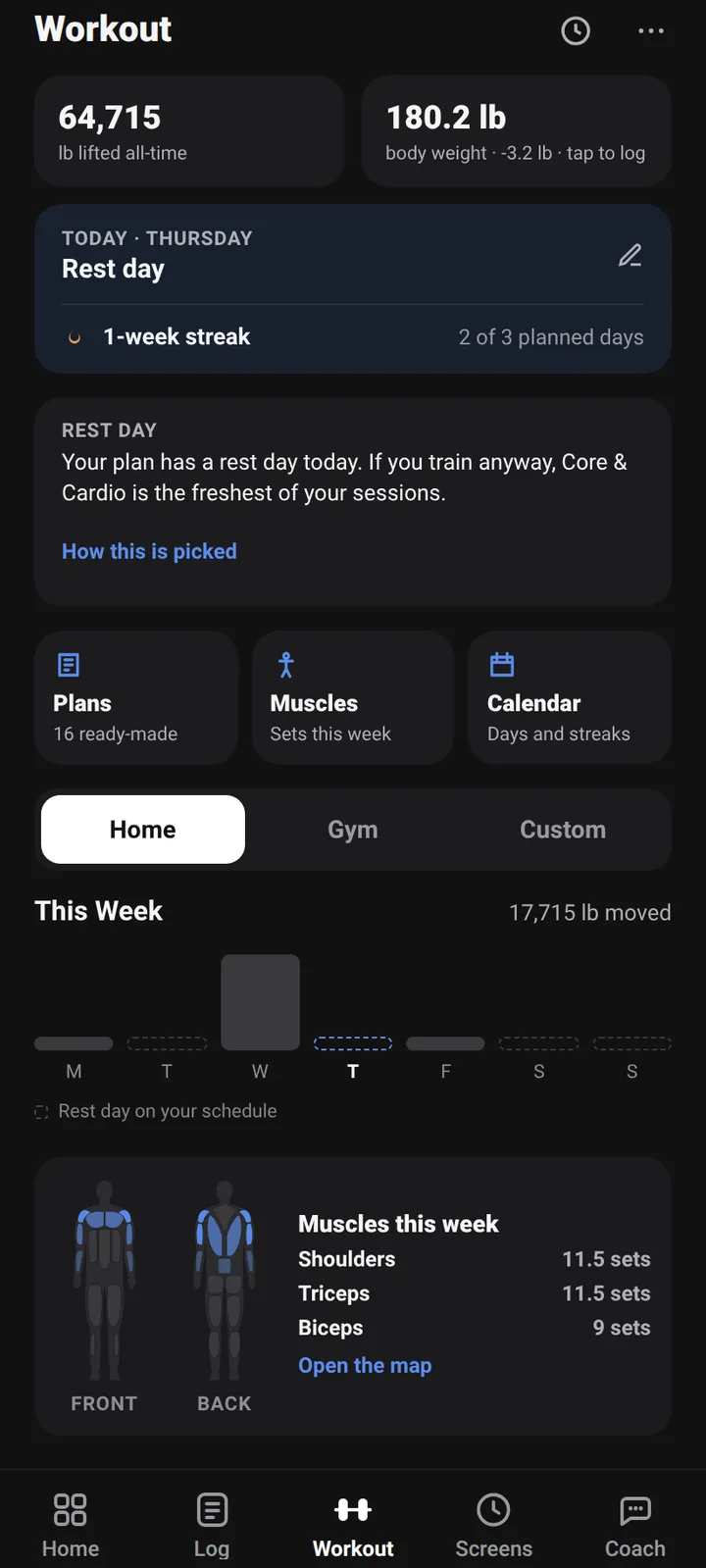
Sets. Records. Plate math. Muscle map.
Log sets with a rest timer, see a personal record when you beat one, and let the plate calculator do the arithmetic. The muscle map shows what you trained this week and what you did not.
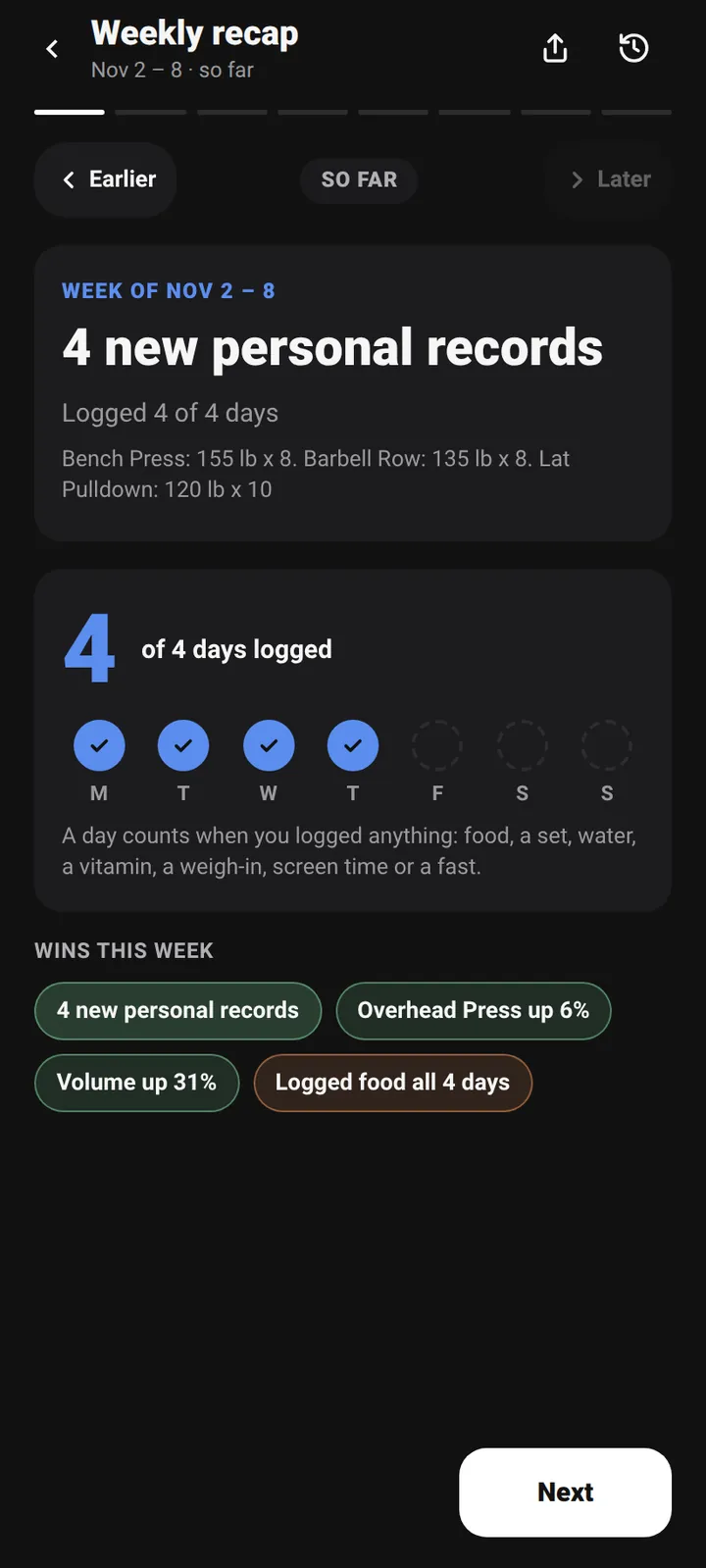
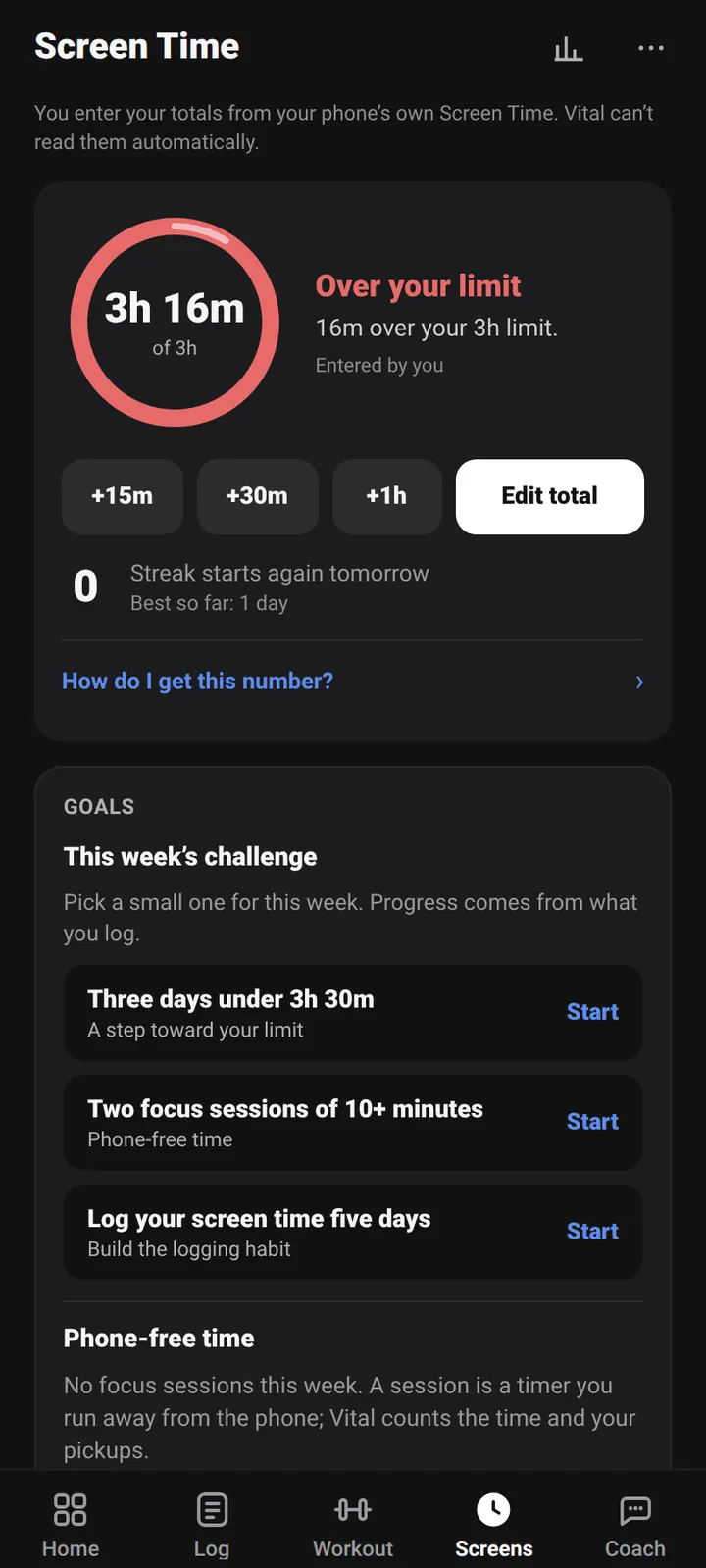
Weekly recap. Screen time. Check-in.
Once a week Vital shows what happened with your food and your training, then asks for a quick check-in. Screen time sits next to them: set a daily budget, run focus timers, and see the trend.
Claude. ChatGPT. Your log, your token.
Vital has no built-in AI in the first release. If you already use Claude or ChatGPT, you can connect it to your own log: create an access token in the app, read-only unless you say otherwise, and your AI app can read your food, workouts and weight. Connecting is part of Premium.
Small things that make a tracker something you keep using
Diet and allergy filters, a plan sized to your calorie target, and a shopping list built from it. Recipes are suggestions, not allergy advice.
Earn badges for streaks and personal bests. Estimated days never count, so a badge means you really logged it.
Light, dark and true black themes, accent colors, and Home layouts you can rearrange.
Log water, tick off vitamins and pills, and time a fast. Every reminder has an off switch.
A weight trend that smooths out water swings, calorie charts, body measurements and a weekly pace check.
PIN lock, a full data export, and account deletion from Settings. The Privacy Policy says exactly what is collected.
Some of these extras are part of the optional Premium plan. The Free and Premium section below says which, and the app shows the final list before you pay for anything.
How it works in three steps
Answer a few questions. Vital estimates your calories with the Mifflin-St Jeor equation and sets protein, fat and carb targets. Every number is yours to edit.
Scan, search or log a meal again. Log sets as you train. Entries made offline wait on your phone and sync when you are back online.
The weekly recap shows what happened. A short check-in sets one thing to focus on next week.
Why Vital puts it all in one place
Premium is optional and shown in the app. No prices here, because they are not final.
The daily loop, with no ads and no time limit.
Optional. More depth, for people who want it.
This is the plan today, and it can change before launch. Premium is billed by Google Play, and you can cancel in your Google account at any time. If you stop paying, nothing you logged is deleted. The app is the source of truth: it shows what each plan includes and the price before you pay.
Vital is not public yet, so there are no user stories to show, and none will be made up. When beta testers choose to share how they use it, their own words will go here, with their permission.
The equation, the activity factor and the goal adjustment, step by step, with the limits of each.
Read the article ResearchWhat the main position stand and the largest meta-analysis say, and what they do not.
Read the article DataUSDA FoodData Central, Open Food Facts, and how Vital checks a barcode result.
Read the articleThese notes come from the What's new screen inside the app. They are written before launch, so they describe the app as it is now.
Not yet. It is in a closed Android beta. Until there is a real Google Play listing, this site shows "Coming soon" and never links to a store. Join the Android beta or leave your email above to hear when that changes.
The core app is free: logging food, barcode scanning, workouts, targets, export and delete. Premium is an optional plan with extras. Prices are not final, so none are listed here, and the app shows them before you pay for anything.
No, not in the first release. The coach gives rule-based quick answers. If you want an AI, you can add your own key from a provider (free), or connect Claude or ChatGPT to your log (a Premium feature). Both are optional and off until you set them up.
Android comes first. An iPhone version is planned, with no date. Tick "I use an iPhone" on a sign-up form and we will tell you when it is out.
They are good estimates, not lab results. Common foods come from USDA FoodData Central. Packaged foods come from Open Food Facts, which people fill in themselves. Vital checks that calories roughly match the macros and shows a notice when they do not. When a number matters, check the package.
You must be at least 16 to create an account, per the Terms of Service.
Android beta now. Google Play next. iPhone later.